A controls lab every student can use.

Students take readings, trace prints, find faults and program PLCs on simulated machines with full electrical prints, alongside your physical trainers. You see how each of them is doing.

Runs in the browser, on any computer. Nothing to install.

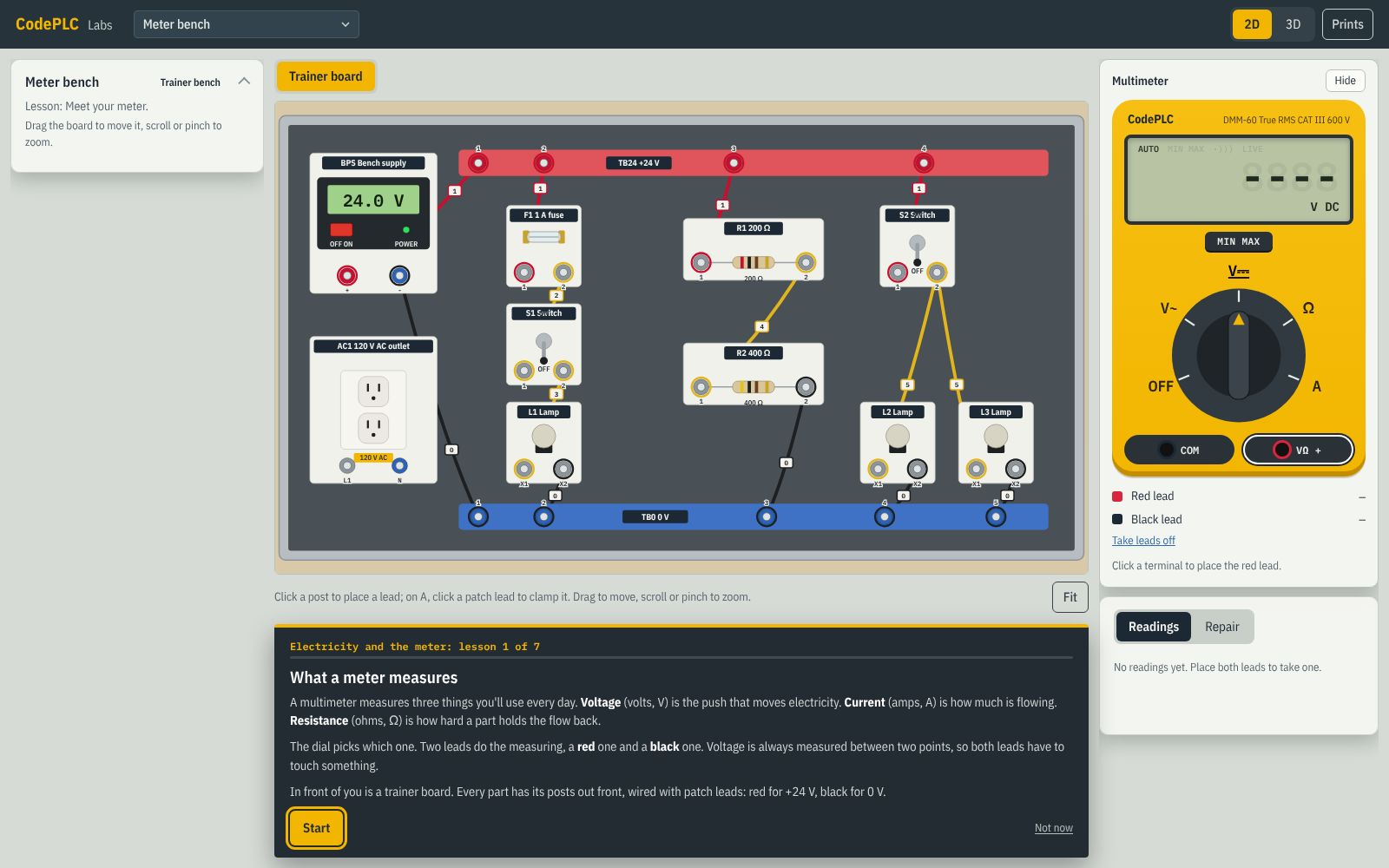
A Learn lesson on the meter bench: the trainer board, the multimeter and the lesson card

What your program gets

Every student at a bench

No waiting for a trainer. 4 trainer benches and 13 machines run in the browser, with a 2D view for slower computers.

A curriculum from Ohm's law up

111 interactive lessons on 14 tracks: electricity and safety, motor control, prints, PLC programming, drives, analog, networks and HMI.

Mistakes that cost nothing

Lockout, proving dead and fault-finding practiced until they're habits. Lessons follow NFPA 70E, and every lockout is followed by proving zero voltage.

Scored checkpoints

One per track, 14 in all: an unseen fault or task, no hints, and a pass mark. Students build a printable record of what they've passed.

An instructor view

Each student's lessons, practice and checkpoint results under your class, in one place, for you and the other instructors you add.

Real PLC work

Program every machine in the built-in IEC 61131-3 PLC, or connect your own PLC over Modbus TCP, and commission it against the spec.

Coming next, shaped by the schools using it: assigning tracks with due dates, and a placement check for before-and-after results.

The tracks

Each track ends in a checkpoint. Use them in order as a full course, or pick the ones that fit yours.

  1. 1
    Electricity and the meterBench check: three unknown parts, one bad
  2. 2
    Safety for controls workLock out and prove dead on an unseen machine
  3. 3
    Inputs and outputsWire-up check: a miswired sensor and a dead output
  4. 4
    Control componentsFind the failed part among five
  5. 5
    Motor control circuitsAn unseen fault in a reversing starter
  6. 6
    Reading printsTrace three signals on an unseen print
  7. 7
    Your first real panelA solo work order: an unseen fault, no hints
  8. 8
    PLC programming 1A program to a spec: Conveyor 5 from a blank page
  9. 9
    PLC programming 2Program and commission an unseen machine
  10. 10
    Drives and motionAn unseen drive fault on the VFD conveyor
  11. 11
    Analog and process controlLoop-check and fix a mis-scaled transmitter
  12. 12
    Industrial networksA wrong address and a bad cable
  13. 13
    HMI and SCADAA conveyor operator screen built to a spec
  14. 14
    Machines and standardsCapstone: commission a machine end to end from a spec

Pricing

Priced for your program. Tell us about your classes and we'll send a quote by email.

Education

For colleges, CTE and training programs

Customquoted for your classes

  • 111 interactive lessons on 14 tracks, from Ohm's law to networks and HMI
  • 4 trainer benches and 13 machines, each with a full set of prints
  • Troubleshooting work orders, lockout and PLC programming on every machine
  • 14 scored checkpoints and a printable record for each student
  • An instructor view of each student's progress and results
Contact us for a quote

Questions from instructors

What computers do students need?

A recent computer with a current browser (Chrome, Edge, Firefox or Safari). Labs has a 3D view and a 2D view for slower computers. Nothing is installed.

How do students sign in?

With their email address: they get a sign-in code by email, so there are no passwords to manage. We set up your class and seats, and the students you add join it when they sign in.

Can high school students use it?

Yes, students 13 and older, each with their own email address (a school-issued one is fine). It isn't for students under 13.

Does it replace our physical trainers?

No, and it isn't meant to. It gives every student bench time at once, lets them practice faults and lockout without risk, and gets them reading prints and taking readings before they reach your trainers, so trainer time goes further.

Can students program PLCs in it?

Yes. Every machine can be programmed in the built-in Labs PLC (IEC 61131-3, in Structured Text or Ladder Diagram). If your program has PLCs or PLC software that can be a Modbus TCP client, students can connect them to the simulated machines with CodePLC Connector, a small Windows app.

What standards does it follow?

US practice: NFPA 70E and OSHA 1910.147 for electrical safety and lockout, NFPA 79 and UL 508A for machine wiring and panels, ISA-5.1 symbols on the process prints, and IEC 61131-3 for the PLC.

How is it priced?

By quote, for your classes and students. Tell us about your program with the form below and we'll reply by email within one business day. Pay by purchase order: we invoice, due in 30 days, by ACH or bank transfer, check or card, and your class opens when the PO arrives. A W-9 and vendor forms on request; send a tax exemption certificate with the order if you have one.

Request a quote

Tell us about your class or program. We'll reply by email within one business day with a quote, and answer anything you ask.

Questions first? Email support@codeplc.com.

We use this only to reply to you. Prefer email? Write to support@codeplc.com.